Center-gaze cue
You may keep your gaze near the center as a visual-search cue, but move your eyes whenever needed for clear, comfortable viewing.
Choose a readable grid, find targets in order, and use time and errors for personal, like-for-like review.
Start with a size whose targets are clear on your screen. Smaller grids create shorter tasks.
Adjust screen distance, text size, contrast, and input method. You do not need to hold your eyes completely still.
Select Start, wait for the layout, and locate the first target.
Select each next number in ascending order. An incorrect selection adds to the error count.
Continue through the final target. Pause if the grid becomes tiring or uncomfortable.
Read completion time together with errors and compare only attempts using the same size and setup.
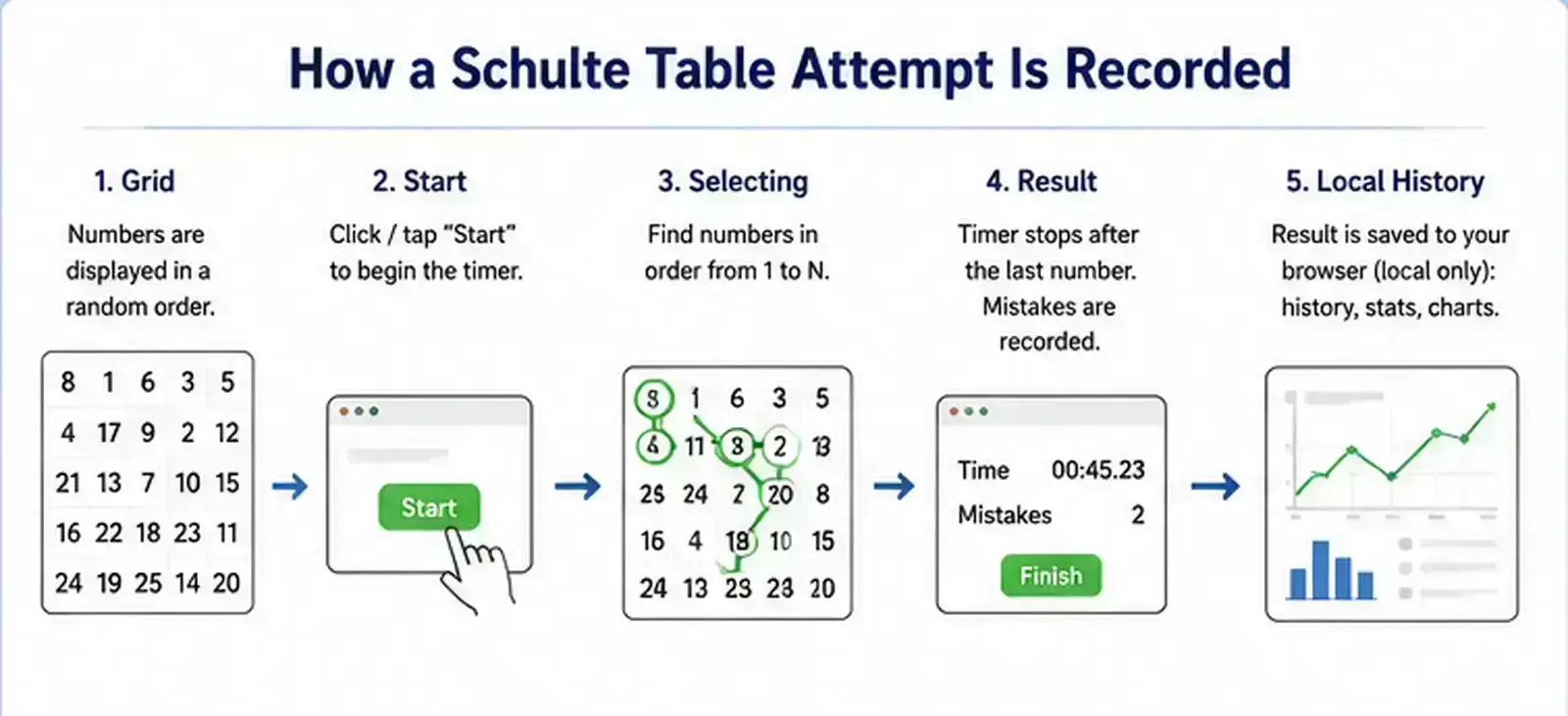
Storage is mode-specific. The standard numbered grid keeps a compact browser-local time history, while tools connected to the Progress Tracker can save structured attempt details such as grid, mode, completion time, mistakes, completion state, and input method. This applies to practice records, not every analytics or advertising service used by the website.
You may keep your gaze near the center as a visual-search cue, but move your eyes whenever needed for clear, comfortable viewing.
A lower time with more errors is not a like-for-like better result.
There is no site-defined ideal duration or frequency. A short round may be easier to repeat than a long session.
Do not compare total times across different grid sizes.
No. A central gaze is an optional cue. Move your eyes as needed for clear and comfortable viewing.
Choose a duration that remains comfortable. Stop when accuracy drops or you experience eye, head, or hand discomfort.
There is no required number. One accurate round can be enough.
Compare time and errors from attempts using the same grid, device, input method, and rules.